Metrigram · One connected record

The whole picture.
Nutrition, training
and health.

Get in shape with personal nutrition and training plans. Log food accurately in seconds, train with guidance and see your progress in the context of your whole day.

Coming to the App Store

On iPhone, iPad, Apple Watch and Mac

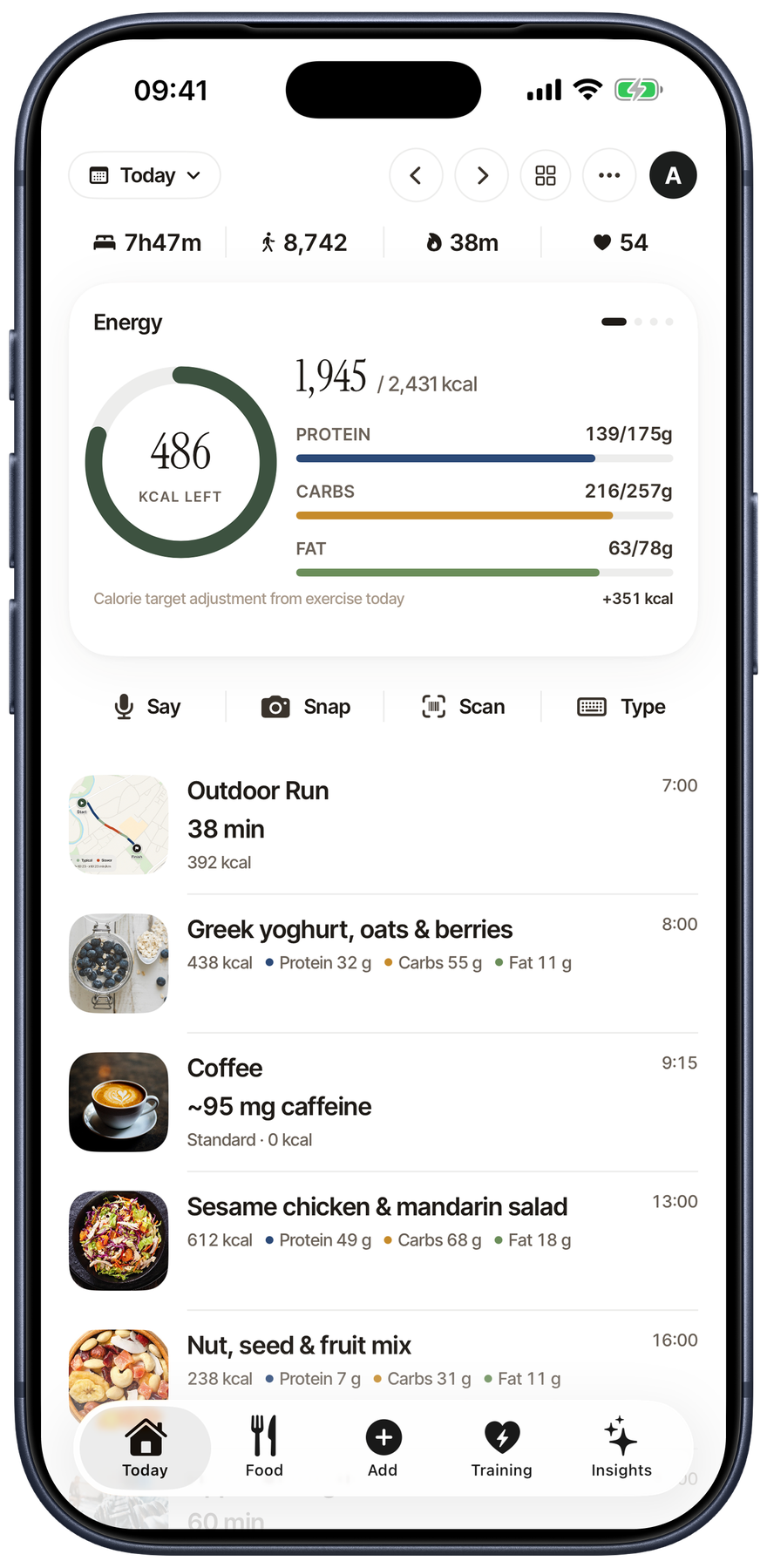
Metrigram Today on iPhone, showing energy, meals, activity and health entries together

Know what to eat.

Nutrition targets and meal planning built around your goal.

Know what to train.

A personalised plan, guided workouts and clear progression.

See if it’s working.

Nutrition, strength, weight and wider health context in one history.

All connected in Metrigram

  • Goals
  • Food logging
  • Extensive food database
  • 70+ nutrients
  • Meal planning
  • Training plans
  • Guided workouts
  • Strength progress
  • Running & cycling
  • Apple Watch
  • Hydration
  • Caffeine
  • Supplements
  • Sleep
  • Symptoms
  • Weight
  • Timing
  • Reports

Log food in seconds.
Precise. Easy.

Speak it, snap it, scan it, type it or search Metrigram’s extensive, structured food database. Review every food and portion before it becomes part of your day.

Say
Scan
Snap
Type
Search

Accuracy starts with a source. Built on established food composition databases including USDA FoodData Central, UK CoFID, the Canadian Nutrient File and ANSES Ciqual. Packaged-food lookups can use Open Food Facts or USDA Branded Foods. Estimates are clearly labelled.

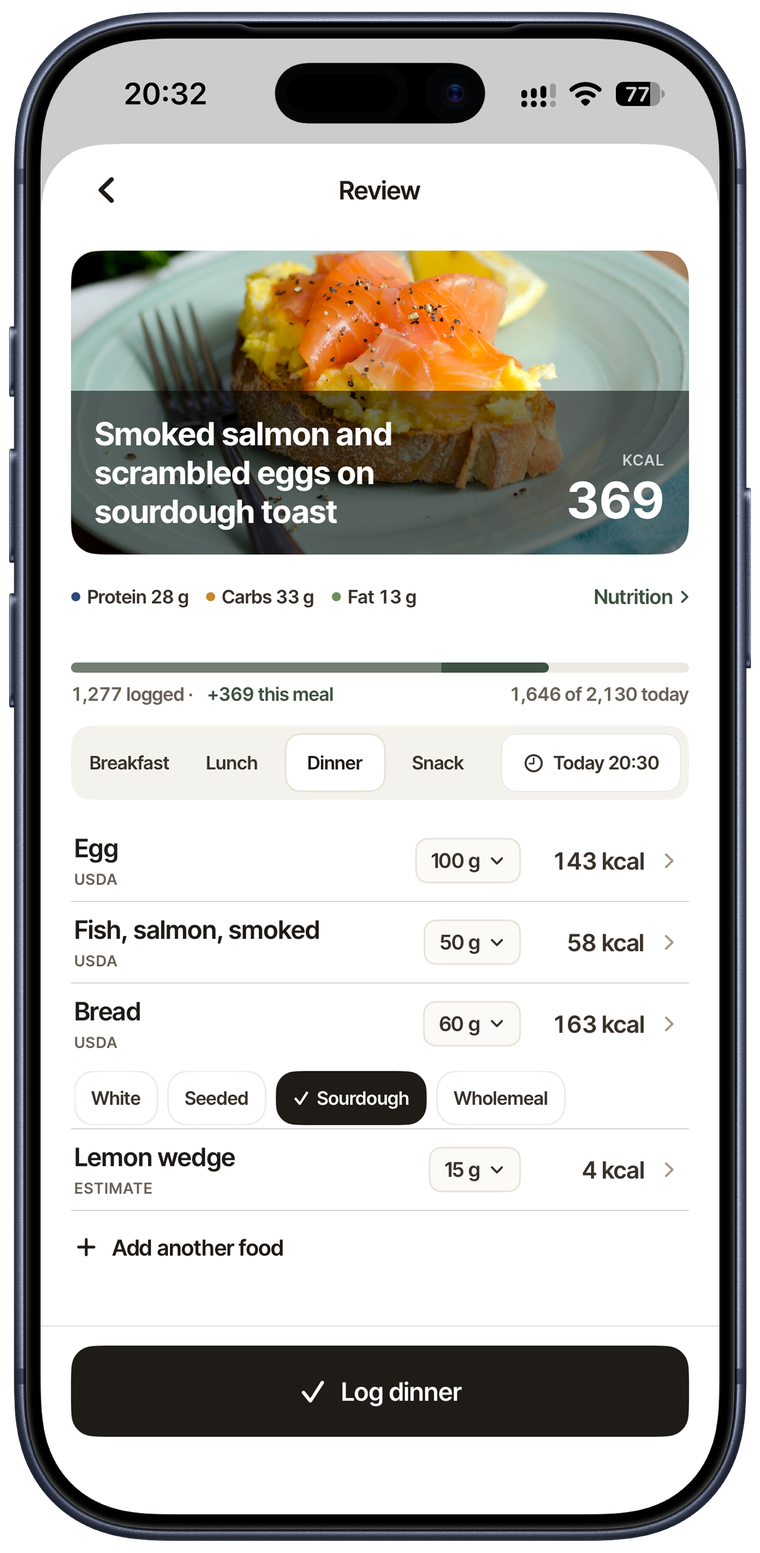
Smoked salmon and scrambled eggs on sourdough, with a lemon wedge
  • Lemon 15 gEstimate
  • Smoked salmon 50 gUSDA
  • Scrambled eggs 100 gUSDA
  • Sourdough toast 60 gUSDA

3 sourced · 1 estimated

Recognise the meal.Sourced foods. Clearly labelled estimates.
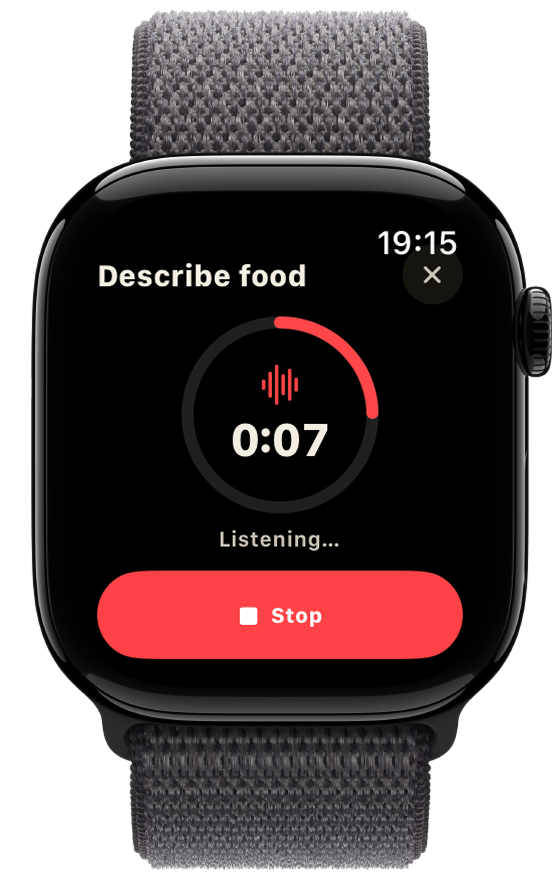
Apple Watch recording a spoken food description
Say it on Apple Watch, too.
Metrigram Review on iPhone, showing the same salmon meal with editable foods and serving amounts
Make it yours.Review every food and portion before logging.

A personal training plan
to achieve your goals.

Choose your goal, the time you have and your equipment. Get a personalised plan for gym sessions, runs, rides and walks.

A plan that adapts as you progress.

  • Guided Gym Workouts
  • Running
  • Cycling
  • Cardio
  • Walk
  • Clear progression across your training blocks
  • See what your plan trains with the Muscle Map
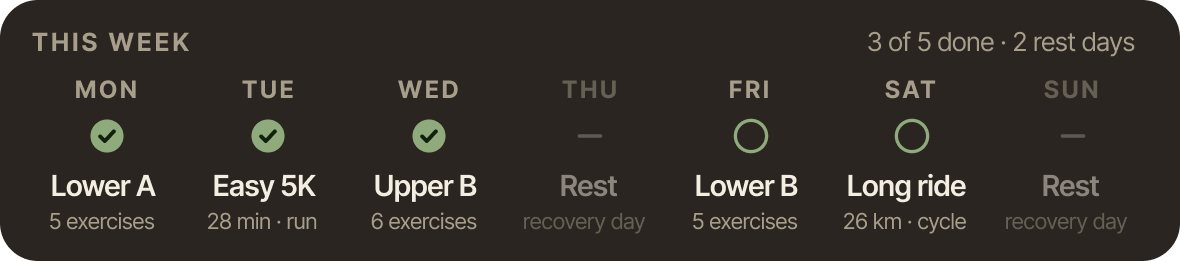
This week: three of five sessions done, two rest days. Monday Lower A, Tuesday Easy 5K, Wednesday Upper B, Thursday rest, Friday Lower B, Saturday long ride, Sunday rest.
Your training week · Swipe or scroll to see every day
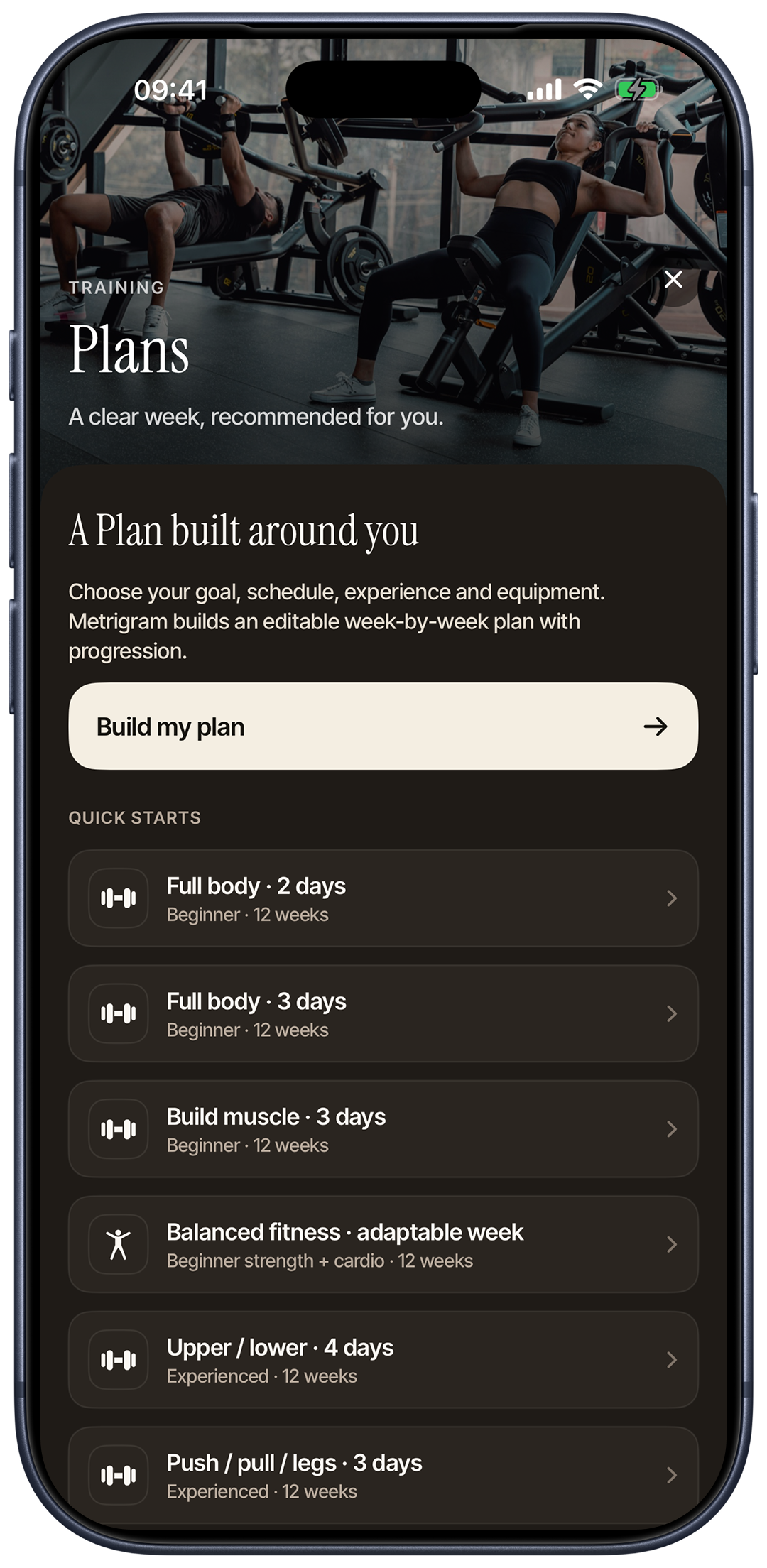
Metrigram Training Plans on iPhone, with a personalised plan builder and quick starts for strength and balanced fitness
Build your plan
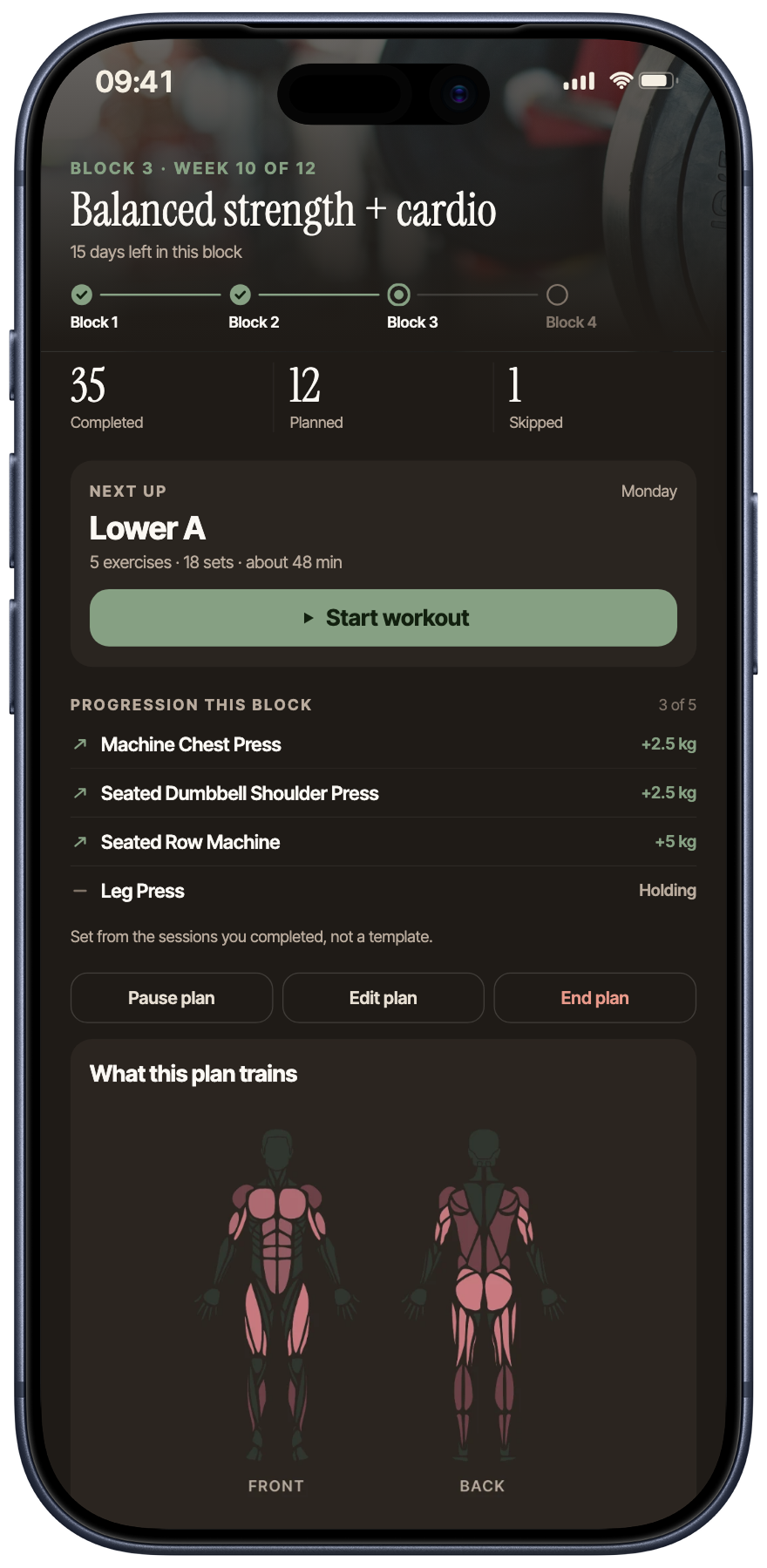
Personalised strength and cardio plan, with the next session, block progression and muscle map
Follow your plan

Your workout,
one set at a time.

See the whole session or focus on the exercise in front of you. Log weights and reps, then follow your strength progress.

Workout videos and cues across over 400 exercises. Follow your personal bests and see your muscle load across sessions.

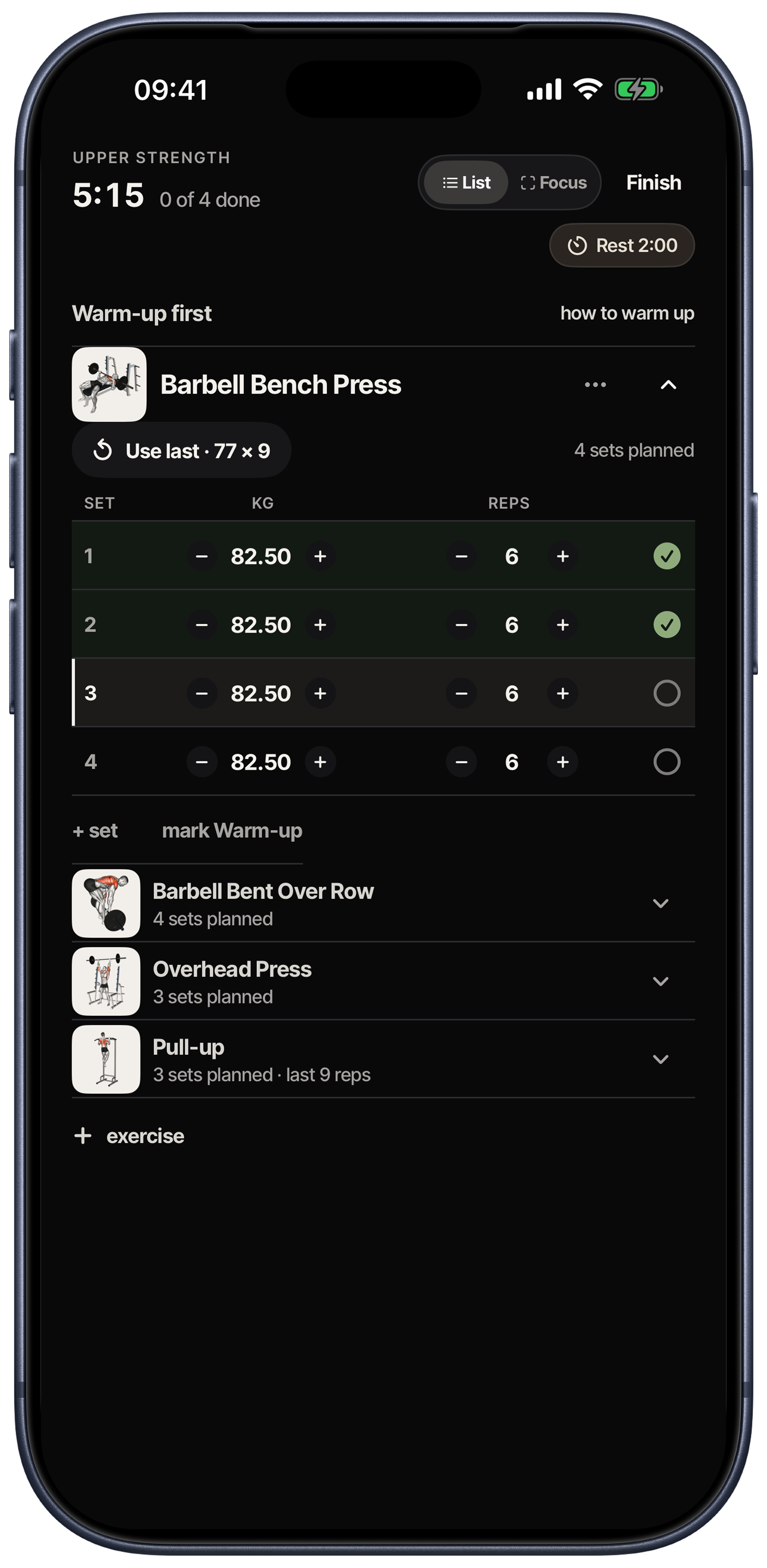
Metrigram guided workout on iPhone with exercise guidance, recorded weights and repetitions, rest timer and completed sets
Workout overview
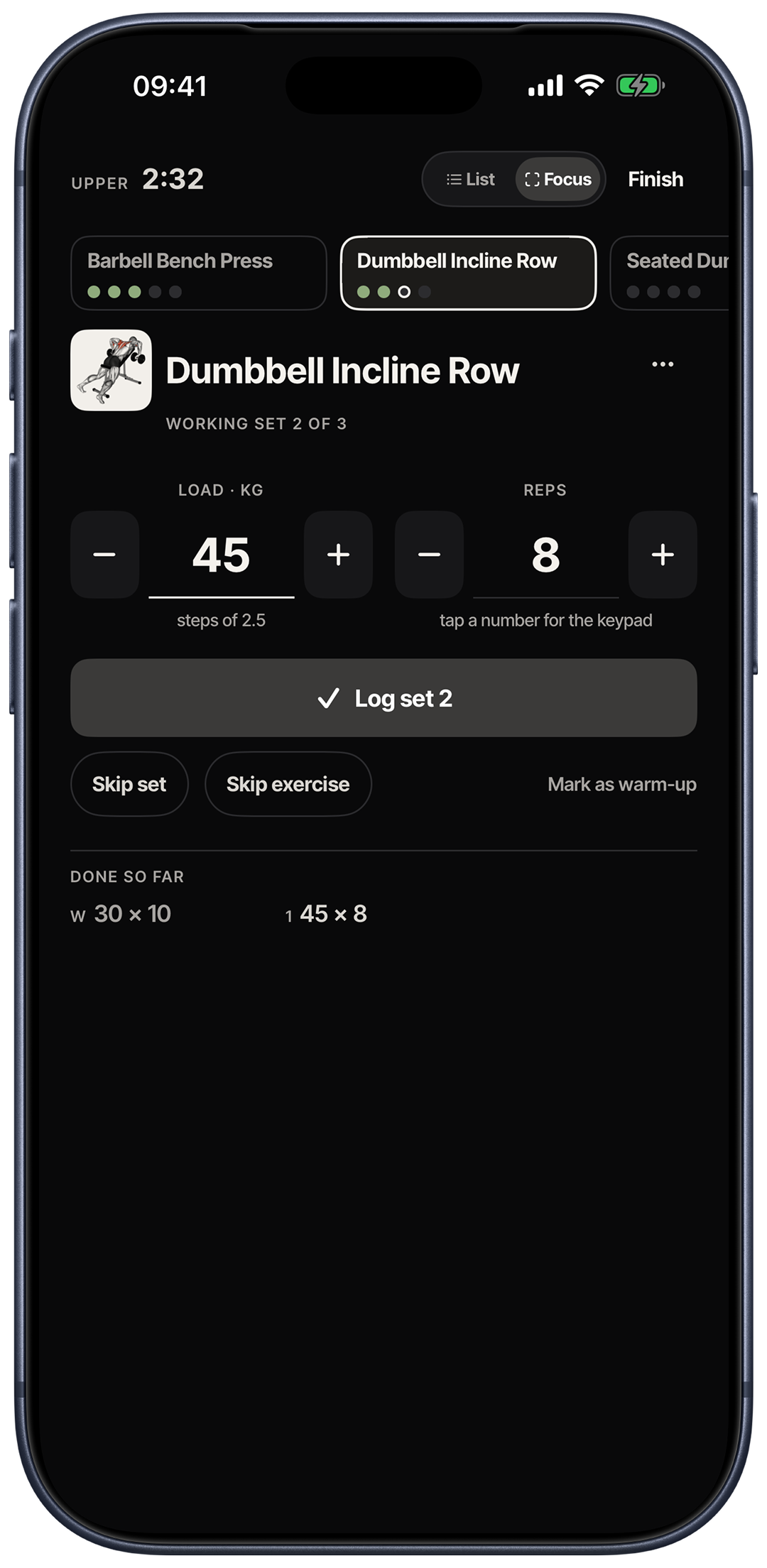
Metrigram workout Focus mode on iPhone, showing the current exercise, working set, weight, repetitions and Log set action
Focus on each set
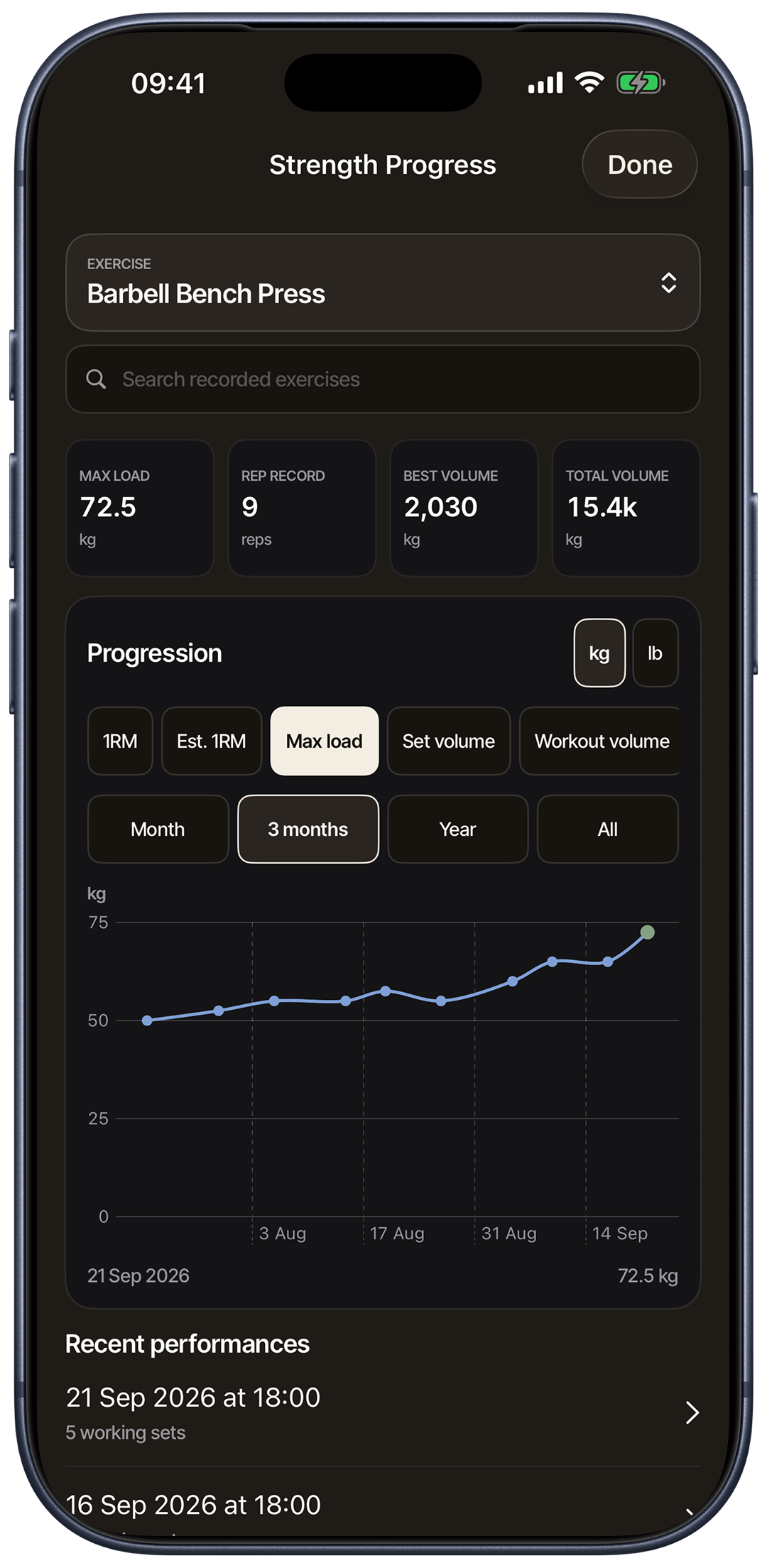
Metrigram strength progress on iPhone showing bench press records, load progression and recent performances
See your progress

Take the plan
with you.

See the session, log sets and follow a run on a native Watch app. Capture food by voice when it fits the moment.

Explore the Watch views

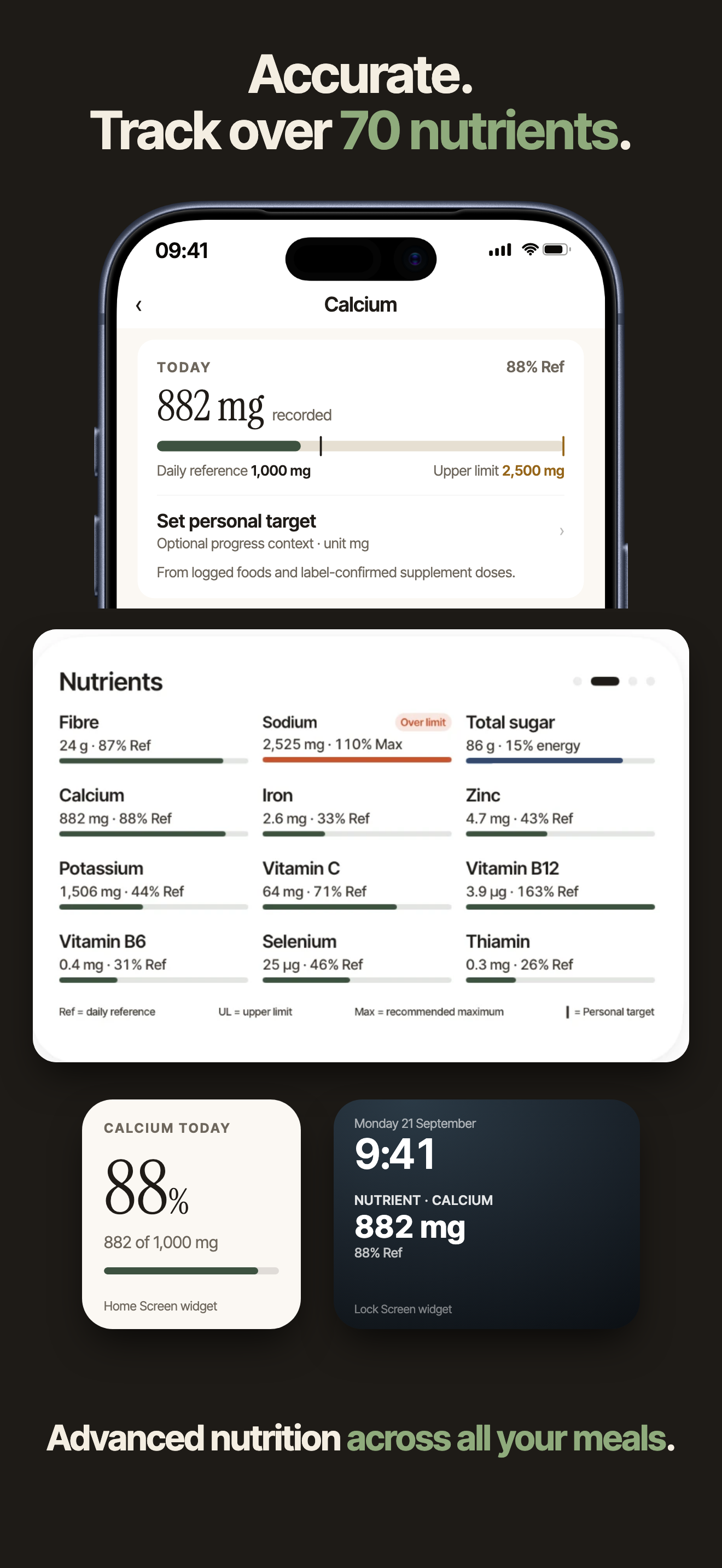
Metrigram nutrient detail showing calcium, vitamins, minerals, daily reference values and nutrient widgets

Eat for your goal.
Know the details.

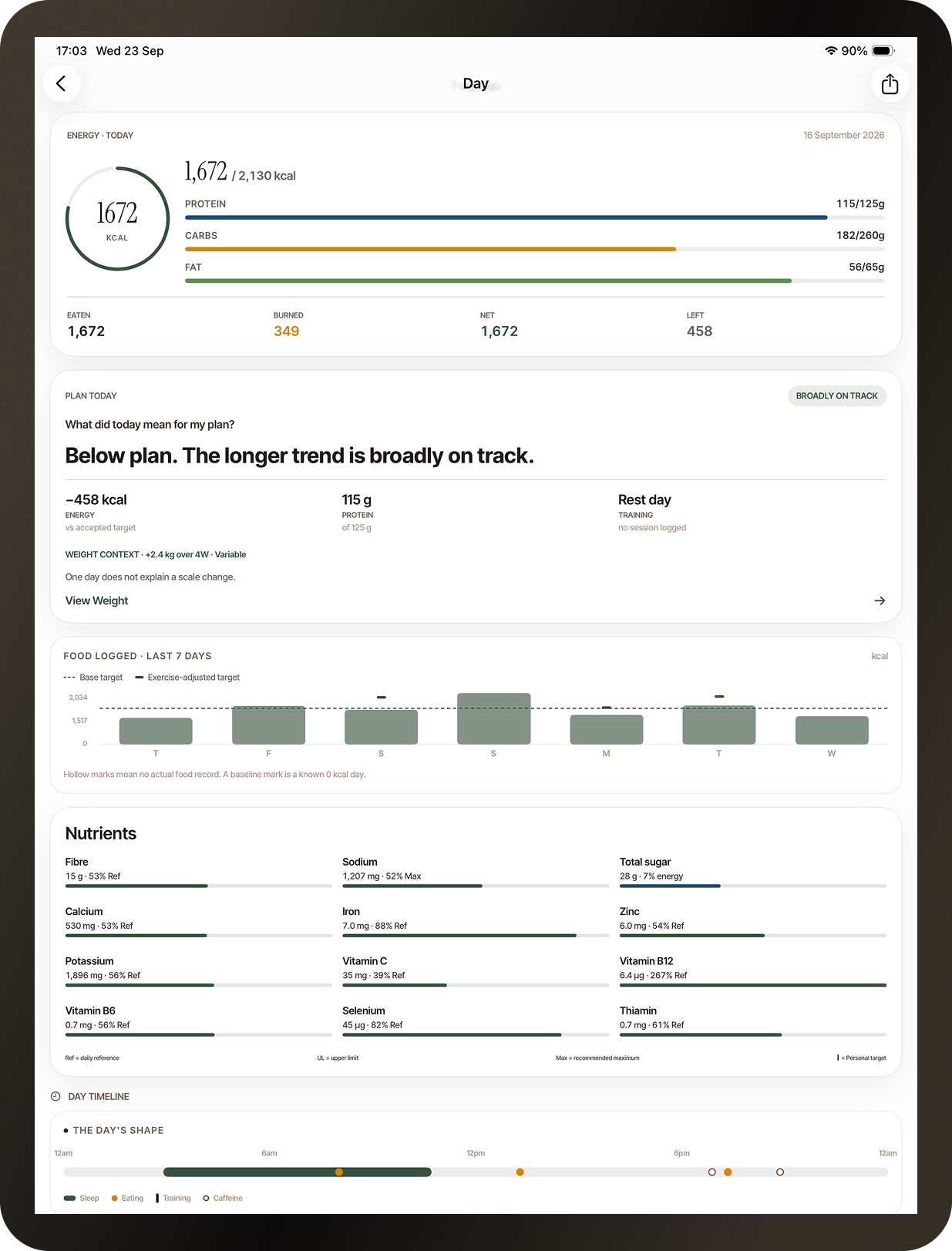
Set nutrition targets around your goal. See more than calories, with over 70 nutrients and compounds where source data supports them.

Follow your daily totals, explore individual nutrients and see how your meals add up against reference values and personal targets.

Put your targets into a meal plan

Plan six weeks ahead.
Every day adds up.

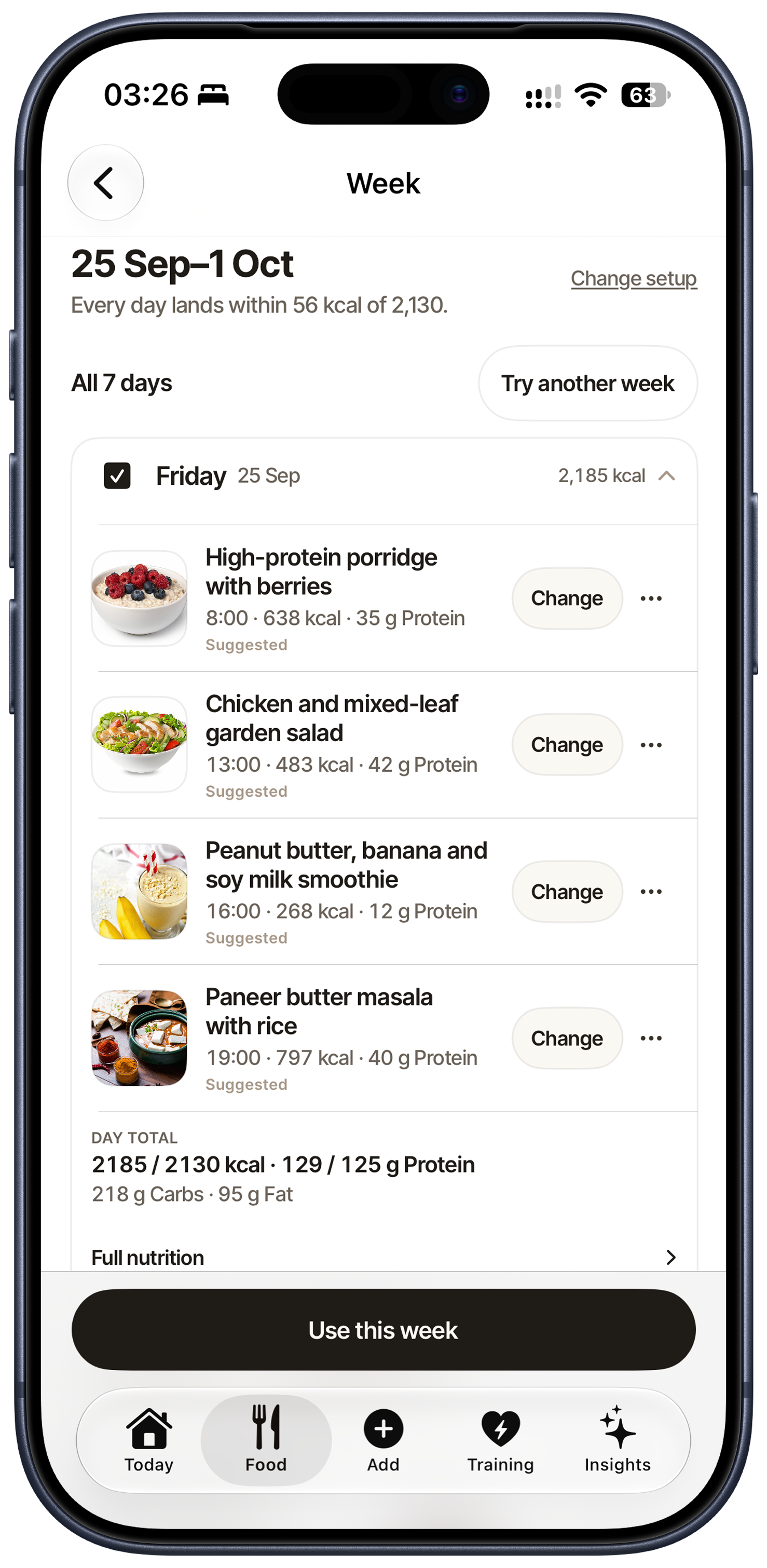
Know what to eat before the day begins. Build a meal plan around your nutrition targets, using Metrigram recipes and your own favourites.

Review the meals and servings, change what suits you and take a shopping list from the week you accept.

  • Plan meals up to six weeks ahead
  • Metrigram recipes plus your own favourites
  • A shopping list built from your accepted week
Metrigram meal week on iPhone with suggested meals, editable choices, daily calories and macro totals
Your week, ready to review
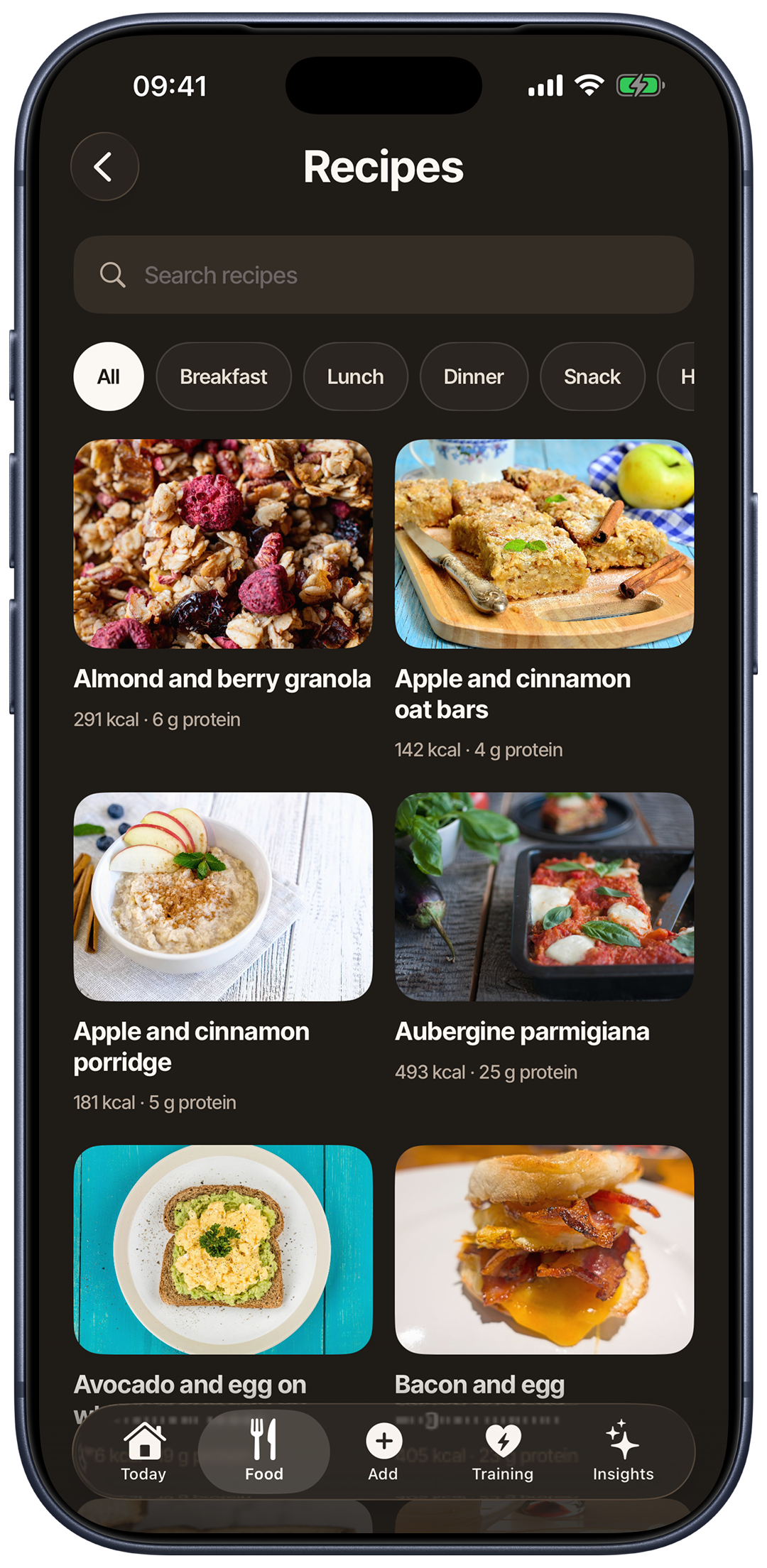
Metrigram Recipes on iPhone in dark mode, with meal categories, recipe photographs, calories and protein per serving
Recipes for your plan

See the shape of your days.

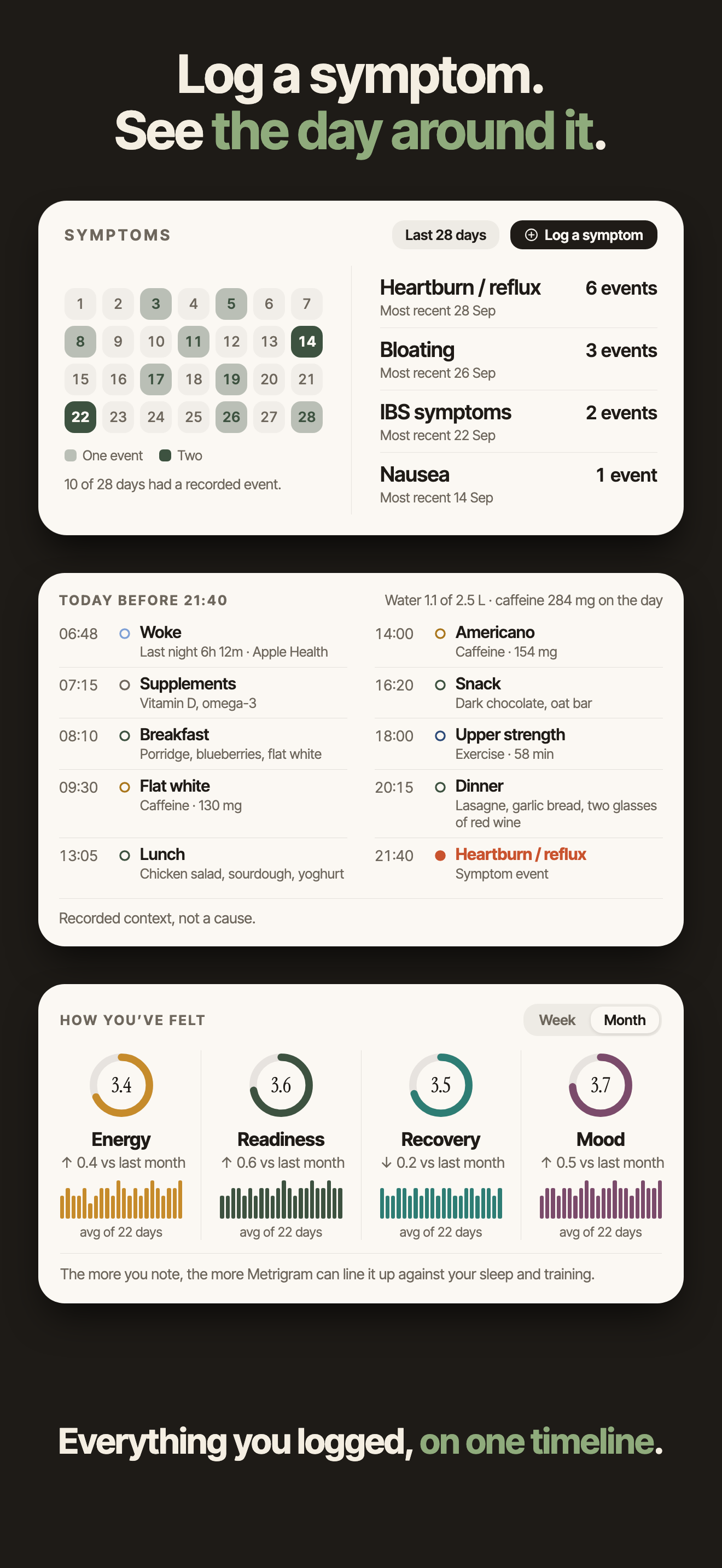
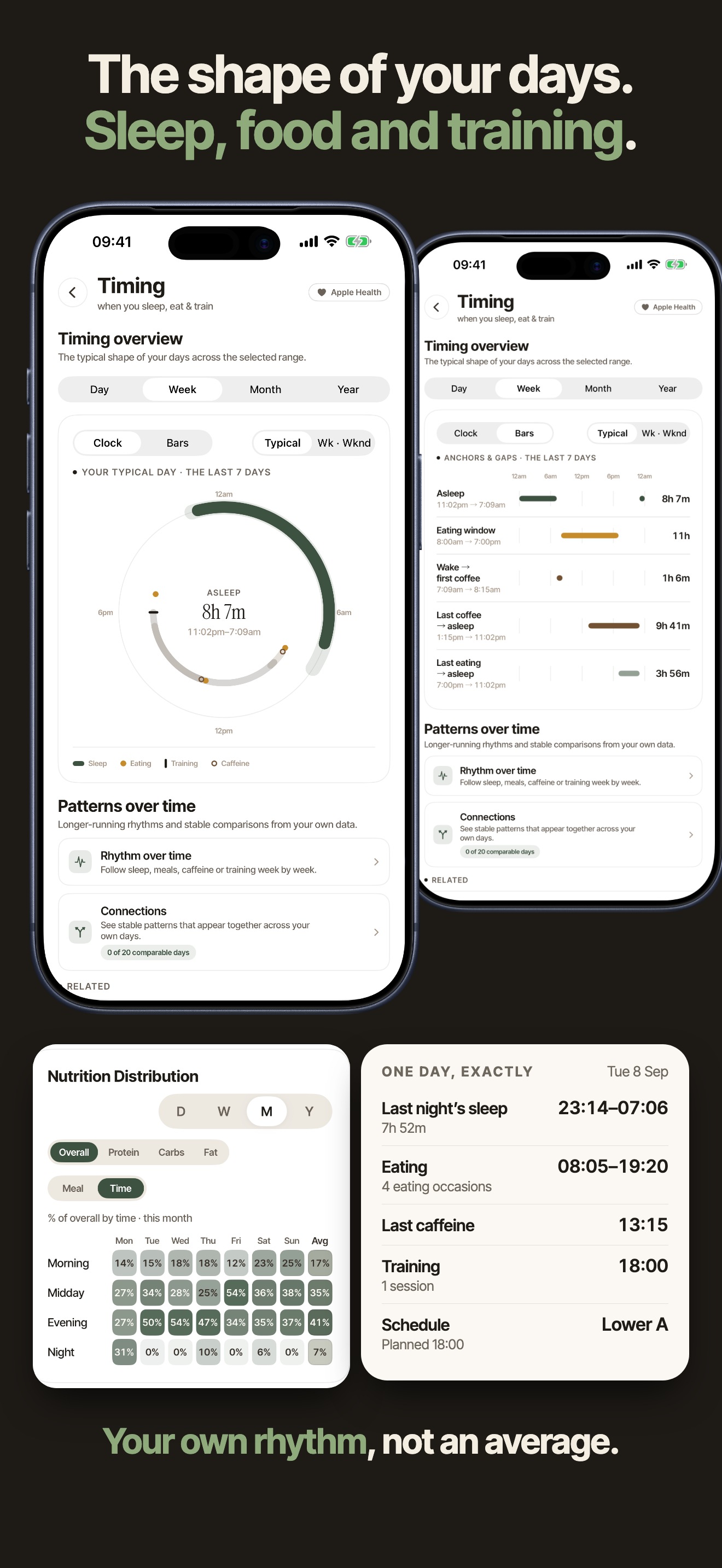
Log symptoms and see the food, sleep, hydration, caffeine and training recorded around them. Explore when you eat, sleep and train, then look back across days to spot your own patterns.

Take a clear timeline of what you recorded into your next conversation.

Metrigram symptoms view with events, a day timeline and wellbeing trends
Symptoms in context
Metrigram timing view comparing sleep, eating, caffeine and training across days
The rhythm of your days

Know whether
the plan is working.

Follow your weight and strength trends alongside the nutrition, training and health context you recorded. See what changed over time, then make a report you can review and share.

Weight trendSee your readings against your goal over time.
Strength trendFollow your loads, reps and personal bests.
ReportsChoose what to include, review the result, then share.

The right view
for the moment.

Start with the fullest iPhone experience. Use the full app on iPad, adapted for its larger screen. Execute on Apple Watch. Use Mac as a planning and review companion.

Metrigram displayed on Mac, iPad, iPhone and Apple Watch
iPhoneThe fullest experience
iPadFull experience, adapted for the larger screen
Apple WatchNative capture and execution
MacPlanning and review companion

Take the whole picture
into the conversation.

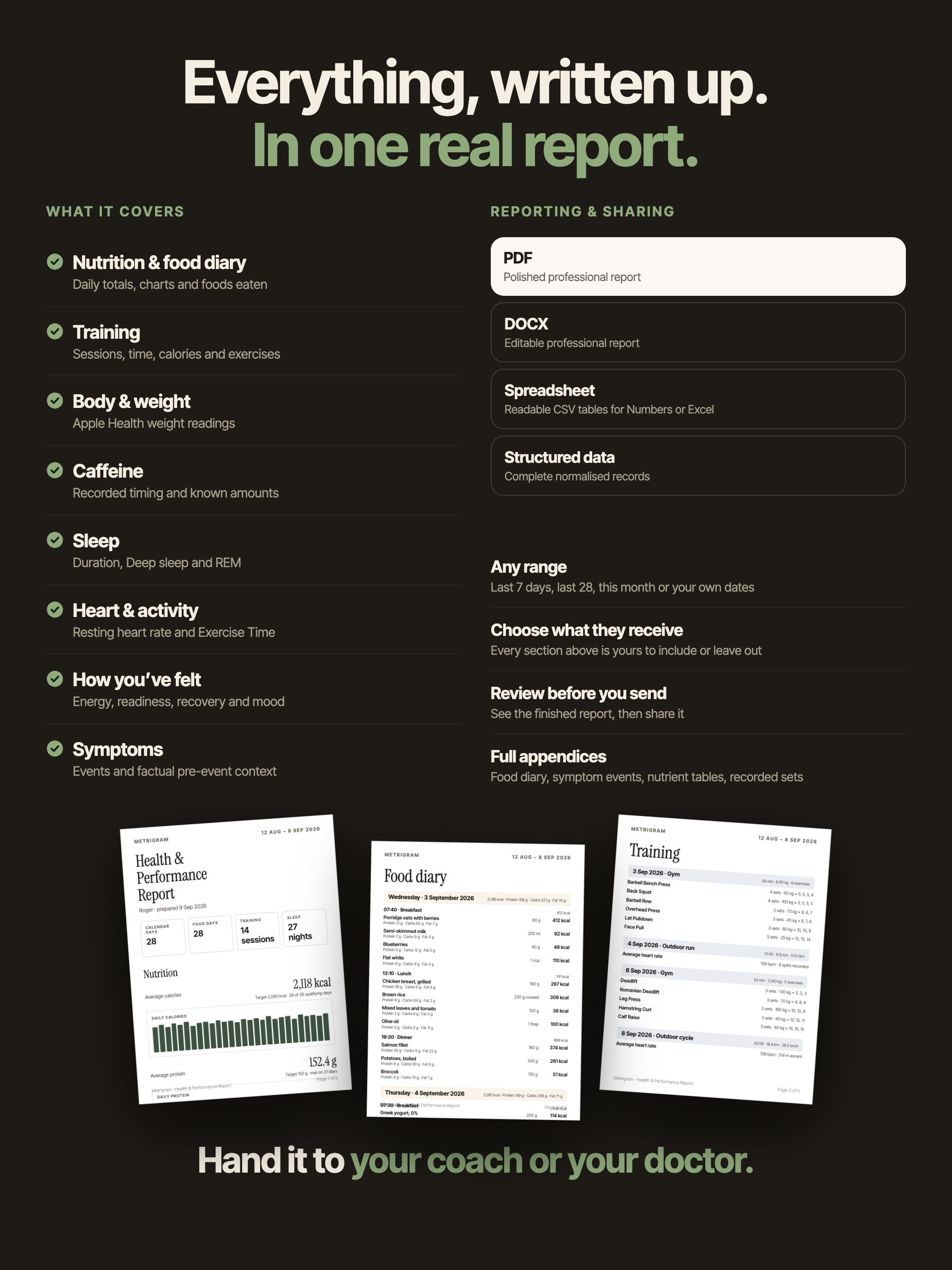
Bring your nutrition, training and health history to your next check-in. Choose the dates and sections, review the finished report, then share it when you are ready.

Choose what your report covers

  • Nutrition & food diary
  • Training
  • Body & weight
  • Caffeine
  • Sleep
  • Heart & activity
  • How you’ve felt
  • Symptoms

Make it yours. PDF, editable DOCX, spreadsheet or structured data.

Metrigram Report example showing nutrition, food diary and training pages, with a choice of report sections and sharing formats

Log with ease.
See your progress.

Your meals, training and daily progress, right on Home. See what’s next, log what you do and explore the nutrition behind it.

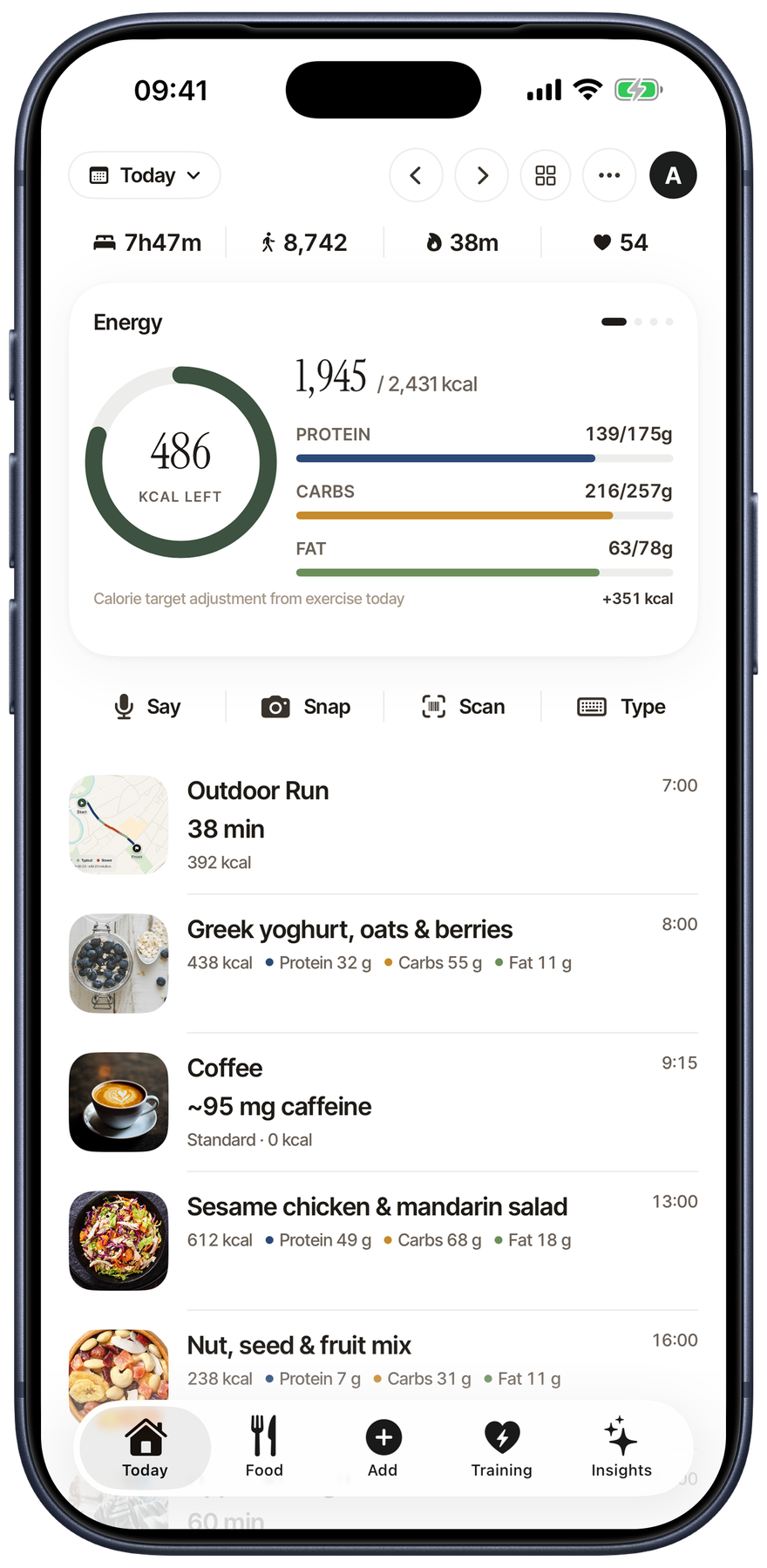
Metrigram List Home on iPhone in light mode, showing daily progress, upcoming meals and training

Your next meal. Your next workout.

See your upcoming meals and training in List Home, alongside the progress you’ve made today.

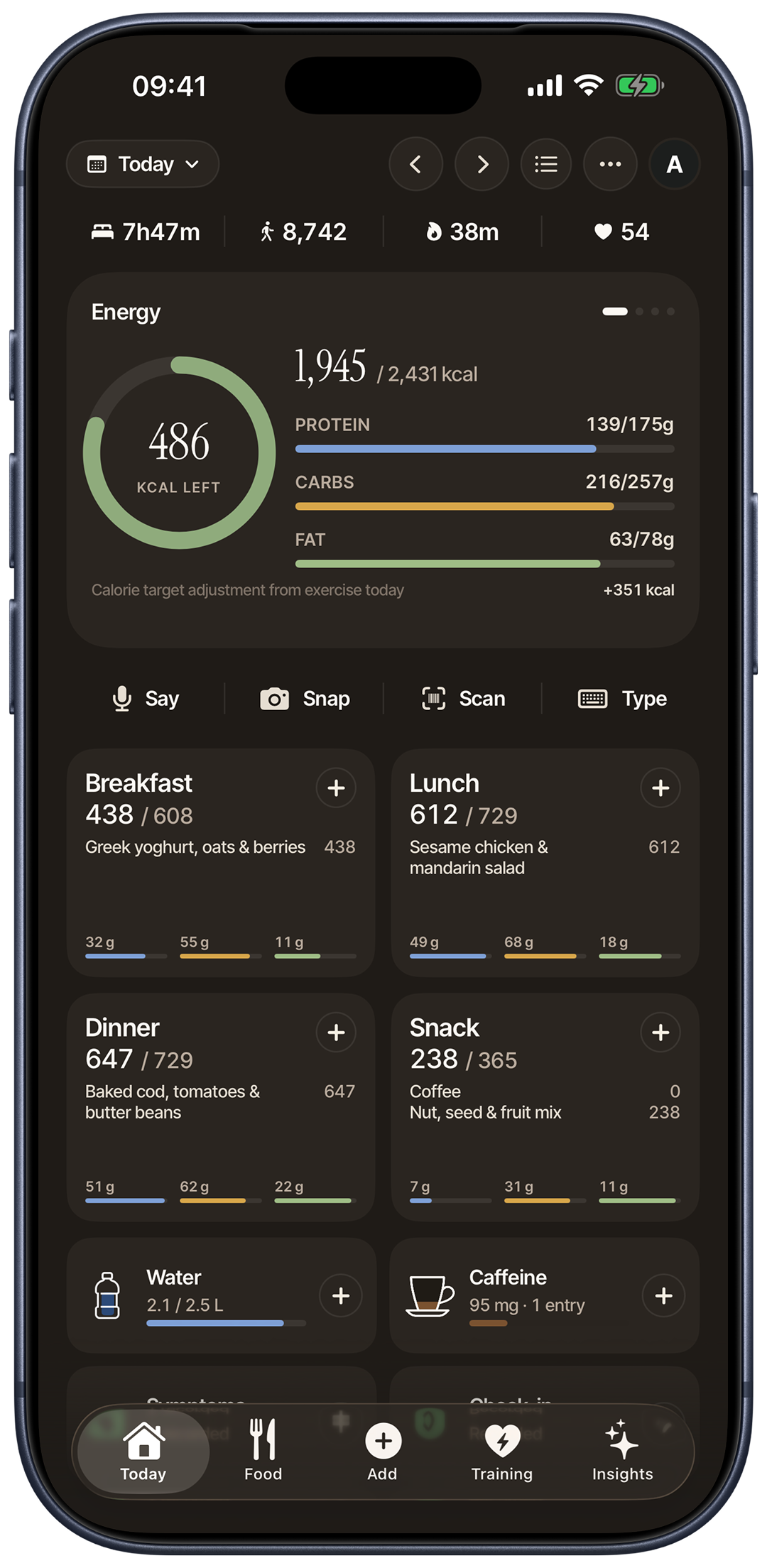
Metrigram Meal Home on iPhone in dark mode, showing energy and macros, meal cards and quick logging actions

Log it. See it. Keep going.

Log meals your way. Add water, caffeine, symptoms and check-ins with quick actions, and see your day add up.

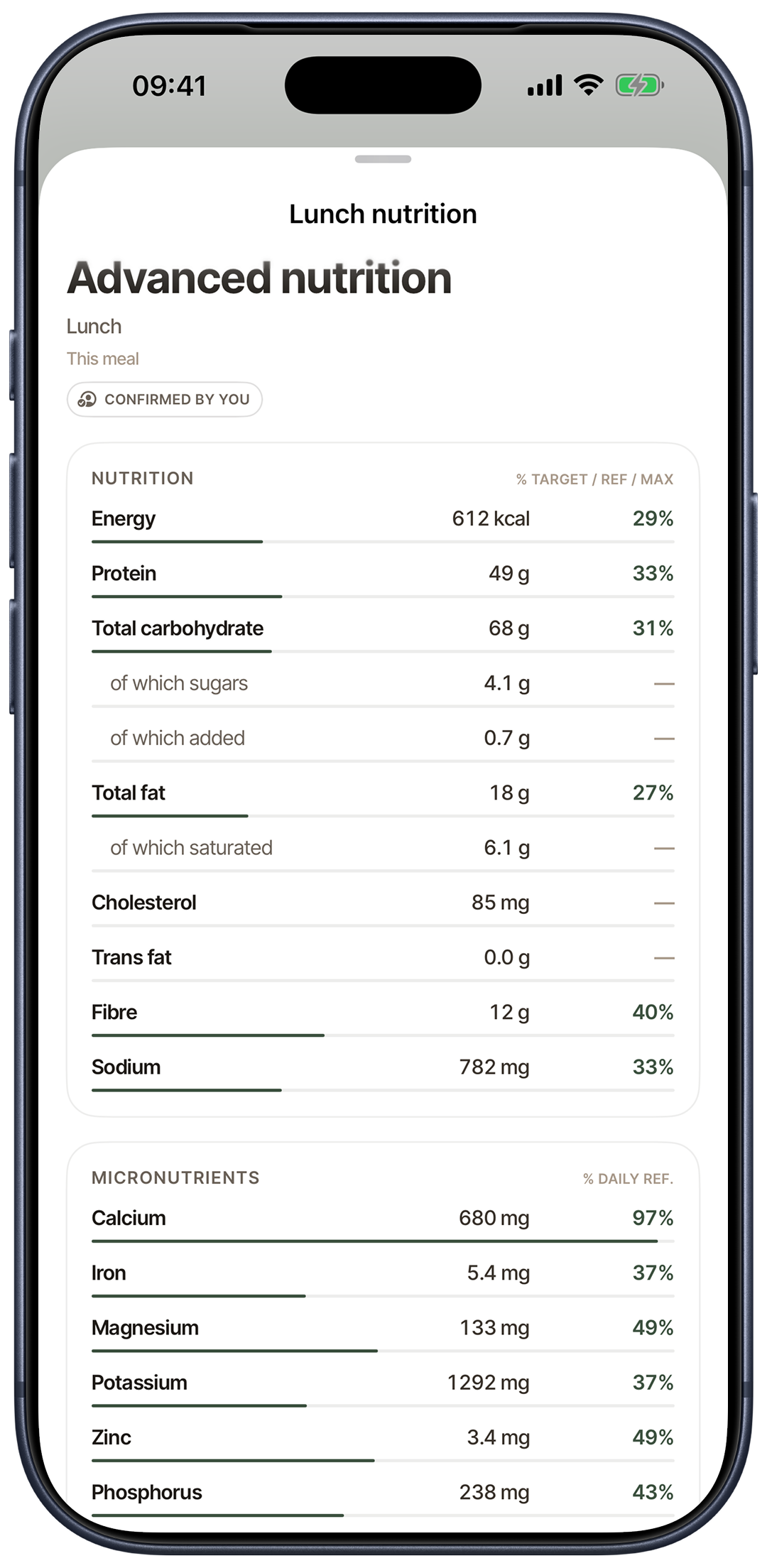
Metrigram advanced meal nutrition on iPhone, showing macros, fibre, sodium, vitamins and minerals

Know what’s in every meal.

Explore advanced nutrition for every food and meal, with detailed nutrients where source data supports them.

Your data.
Your decision.

Your core record stays on your devices and syncs privately through iCloud. You can turn iCloud sync off in Settings. You review food before saving and decide when to share a report. Remote recognition uses only the input needed for that request.

How Metrigram handles your data
Does it work with Garmin, WHOOP or Oura?

Through Apple Health, where supported. First enable Apple Health sharing in your wearable’s app. Then connect Apple Health in Metrigram and allow access to the data you want it to read. Steps, sleep, workouts and heart data can appear when your device writes those categories to Apple Health. Device-specific scores and data that it does not share there will not appear in Metrigram.

Where do the food numbers come from?

Metrigram uses established food composition sources including USDA FoodData Central, UK CoFID, the Canadian Nutrient File and ANSES Ciqual. Packaged-food lookups can use Open Food Facts or USDA Branded Foods. Coverage varies by food; AI estimates are labelled clearly, and you can review each food and portion before saving.

Can I change a meal before saving?

Yes. Review the foods and portions, change a match or serving, and remove or add foods before you log the meal.

Do I need an Apple Watch?

No. iPhone is the fullest experience. Apple Watch adds native food voice capture, workout controls and outdoor activity tracking when you want them on your wrist.

The whole picture.
Ready when you are.

Nutrition, training and health, together in one private record.

Coming to the App Store